
RPG Maker 审校工具:结合剧情上下文翻译
通过表格、地图和时间线审校 RPG Maker 译文。在流程图中查看选项、对照对话,并结合上下文编辑。
查看指南LRPGM · Windows
了解 LRPGM 的流程图审校、插件分析、简易与专业模式等 RPG Maker 游戏翻译工具。
查看每个候选文本的可信度、来源和检测到的用途。检查自动选择结果以及需要你决定的项目。
查看指南通过结构化资源处理,可纳入 TXT、CSV 和自定义 JSON 文本。可用控制项和限额取决于套餐及项目结构。
查看指南处理时会识别变量和格式标记,保留它们在文本中的作用。应用前,请在审校工具中检查对话和代码。
查看指南添加已识别的游戏,并在资料库中查找项目。Free 最多可启用 5 个 MV/MZ 项目。
查看指南处理前可检查文件和分组。Basic 与 Plus 提供更多控制选项;结构化资源另有使用条件。
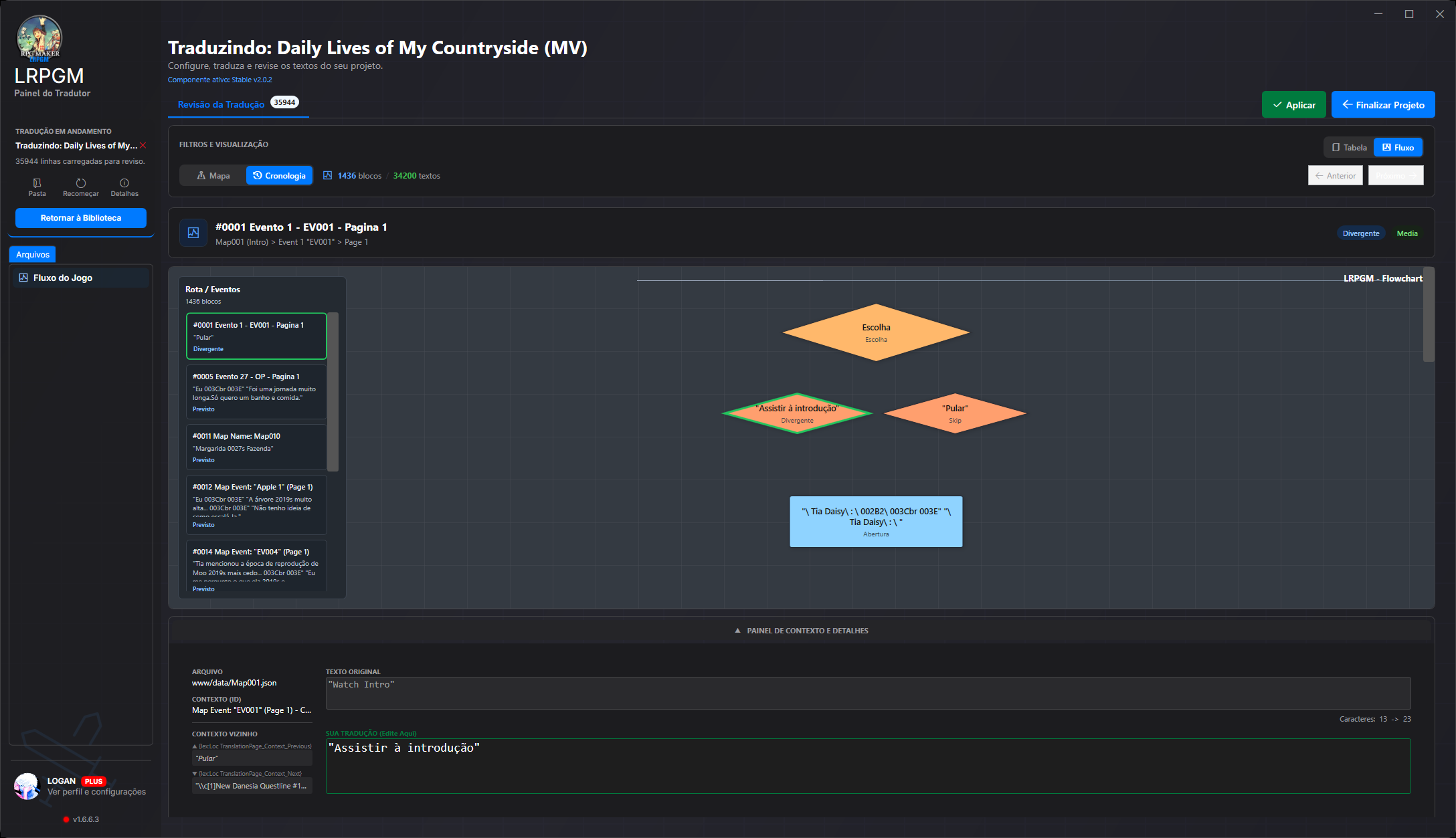
查看指南对照原文与译文,按地图查找场景,并在流程图中追踪选项。编辑时会保留相邻对话,帮助你准确传达原意。
查看指南Basic 和 Plus 支持使用术语表。Basic 最多启用 2 组语言对,每组最多启用 5 条自动规则。
查看指南在缓存和项目状态允许时,可重复使用已有结果。保留时间和文件变更可能会影响恢复。
查看指南可在本地分享已翻译且完整、源文件未受保护的 MV/MZ 项目。需要在线状态和基础付费版 Basic 或 Plus 账户;不包含托管服务或公开链接。
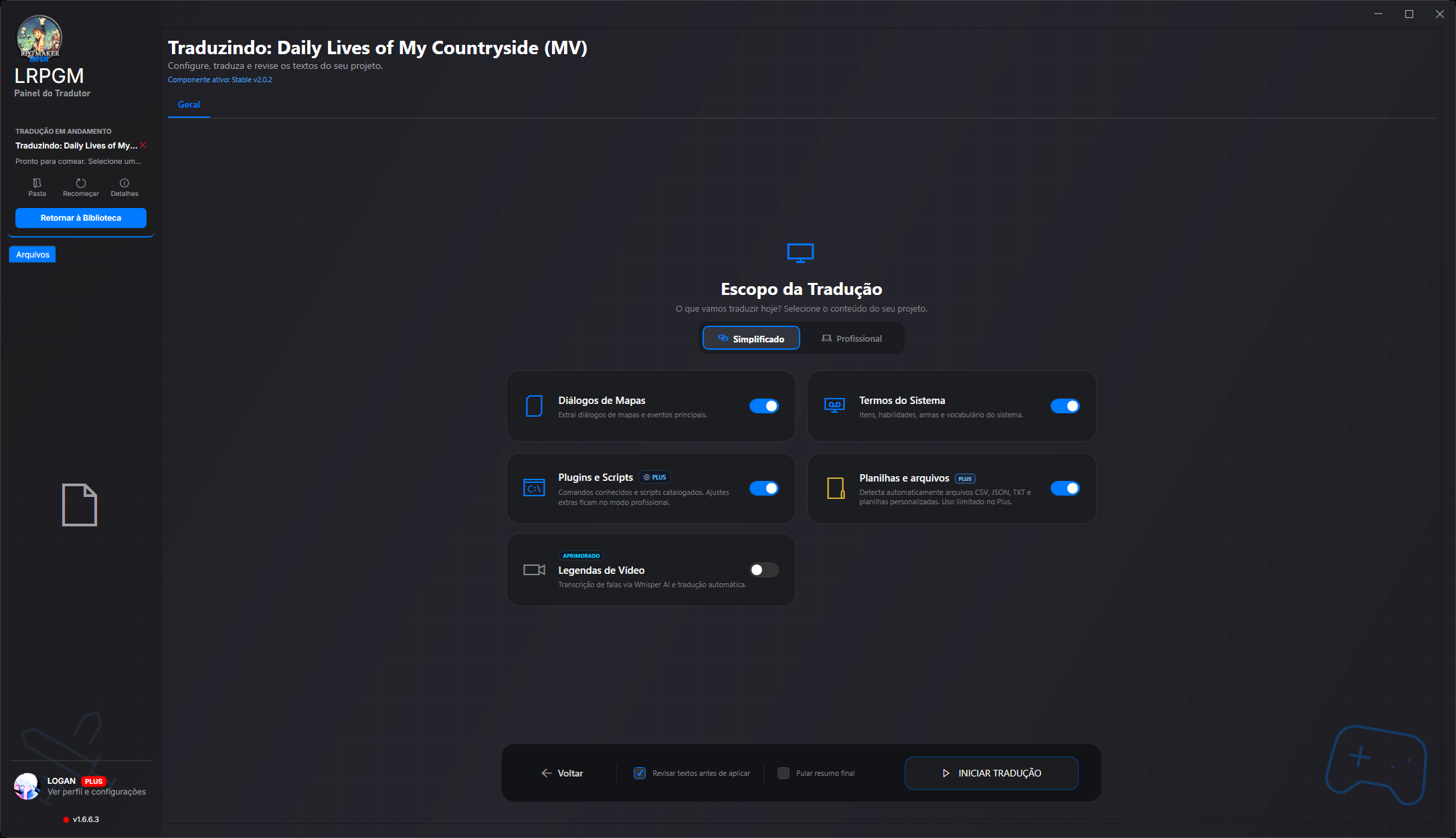
查看指南简易模式会将提取来源归类,方便选择。专业模式可设置地图、公共事件、脚本和数据库选项。你可以在阶段面板中跟进提取进度,并在翻译前查看检测到的语言样本。
高级选项取决于套餐和项目。比较套餐,选择适合你使用方式的权限。
Google V3 [LRPGM] 和 Google Old 在所有套餐中均可使用。Bing、Azure、DeepLX 和 DeepL Free/Pro 需要在线 Plus 权限。语言目录不代表每个服务提供商都支持这些语言。
服务提供商可能需要单独的账户、密钥和付款。集成不包含第三方额度,也不保证支持所有语言组合。
LRPGM 是一款 Windows 应用,能够识别各代 RPG Maker 的文件格式。你专注于文本和上下文,应用负责读取项目并集成译文。
系统会根据游戏结构读取地图、事件、数据库和插件。译文单独保存,并通过插件集成到 LRPGM 运行环境中。
读取器可识别 Ruby Marshal 以及 .rxdata、.rvdata 和 .rvdata2 格式。Legacy 运行环境会将译文写入独立文件,并集成到脚本或识别到的 RGSS 压缩包中。
TXT、CSV 和自定义 JSON 内容也可加入提取流程。插件分析有助于识别 RPG Maker 标准字段之外的面向玩家文本。
通过虚拟文件系统访问可识别 EVB 容器中的 MV/MZ 内容。RGSS 格式和 Legacy 路径有专门的处理方式。兼容性取决于游戏使用的格式和结构。
The reviewer brings together original text, translation, file, map, event and neighbouring text. Follow blocks in order or open the choice flowchart to understand what comes before and after each answer.
查看指南In MV/MZ, analysis follows text references and uses, separates candidates from technical values and shows a confidence score. High-confidence candidates can be preselected; inspect their origin, adjust filters and decide what to translate.
查看指南Recognised variables, formatting codes and markers are protected before text reaches the translation service. LRPGM validates and restores these elements in the result, reducing manual command repairs.
查看指南A plugin may use the same name for a button and an image or audio file. In MV/MZ, the resource corrector can recover the original name during loading using the file index and translation pairs. Images and audio retain their original file names.
查看指南Create a local package from an eligible MV/MZ project. Choose protected distribution, which blocks editing in LRPGM, or preserve review data for teamwork. Integrity checks detect changes to protected content; Plus lets you customise package credits and its icon.
查看指南The MV/MZ runtime provides a translation menu with font, size and line-wrapping options. In eligible modes, switch between original and translated text and adjust reading without returning to the editor. Free Runtime restricts these options.
查看指南Coverage depends on the engine, plugins and plan. Resource reference correction needs a file index and a translation match; it does not recreate missing files. Local sharing requires a translated, intact MV/MZ project, an unprotected source and an online base paid Basic or Plus account. Editing protection does not prevent copying the package or replace the game author’s rights.